1. Select:
URL / Website
WhatsApp
Wi-Fi
Pix Generator
Business card
Link aggregator
PDF file
Event
GPS / Location
Excel
App Store
Coupon
Video
Business
Photo gallery
Menu
Audio

What would you like to create today?

Hover over the types
PRO
2. Fill in:
QR Code preview Your QR Code will appear here
Generating QR Code... Please wait a few seconds
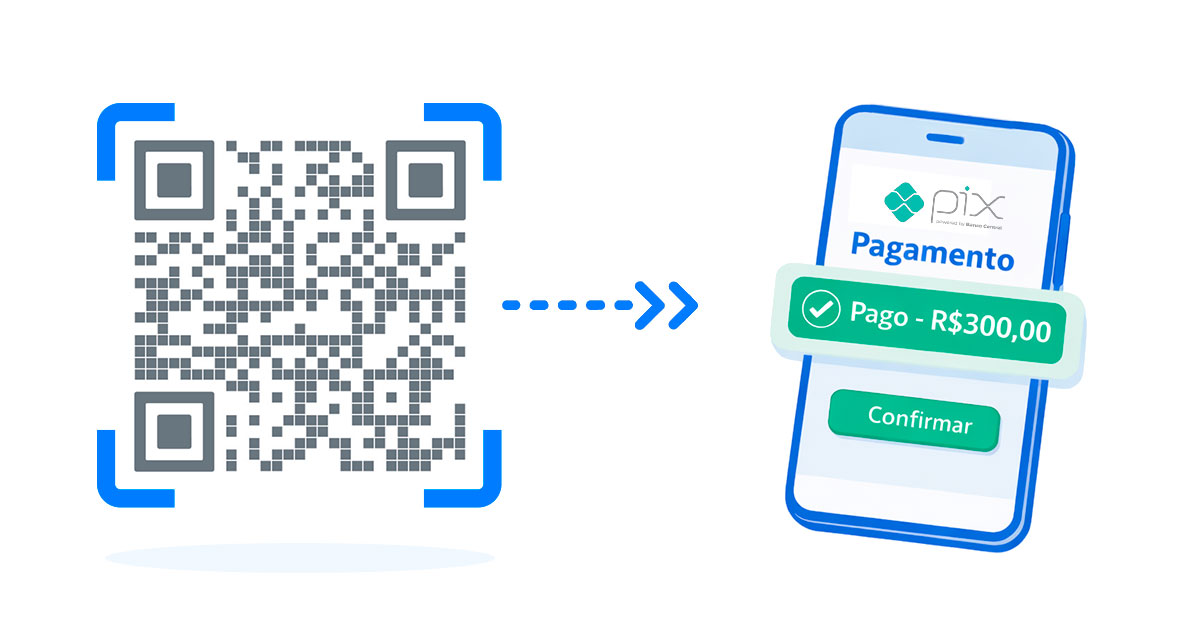
Free Pix QR Code

Pix QR Code generator for easy payments

Create a static Pix QR Code with Pix key, optional amount, payment description and identifier. It is useful for stores, delivery, events and small businesses that need a simple way to receive payments in Brazil.

Static payment QR CodeSimple setup for printed, digital and commercial use.
Amount can be optionalSimple setup for printed, digital and commercial use.
Ready to print or shareSimple setup for printed, digital and commercial use.
Step by step

How to create this QR Code

1

Enter your Pix key

Follow this step carefully and test the final QR Code before publishing it.
2

Set amount and description

Follow this step carefully and test the final QR Code before publishing it.

3

Generate, test and download

Follow this step carefully and test the final QR Code before publishing it.

Configuration

What to include in a Pix QR Code?

  • Pix key: CPF, CNPJ, email, phone or random key registered at your bank.
  • Amount: use a fixed value for products or leave it open when the payer should enter the amount.
  • Description: explain the payment reason so the payer can confirm it with confidence.
  • Identifier: helps internal control when you issue many payment QR Codes.
Best use

Static Pix QR Code

QR Plus generates static Pix QR Codes. Use it when the payment data does not need to change after printing.

Professional use

Use a clean Pix QR Code on printed materials

After generating the code, customize colors with good contrast and test the scan before placing it on counters, labels, menus or event materials.

Create now
Frequently asked questions

FAQ about Pix QR Codes

Enter your Pix key, add an optional amount and description, generate the QR Code, test it in a banking app and download it.

No. The public Pix generator creates static payment QR Codes, which are ideal when the payment data does not need to change after printing.

Yes. You can leave the amount open so the payer enters the value in the banking app.

Yes. You can customize colors and visual details, as long as the contrast remains strong enough for scanning.

Use it at checkout counters, delivery materials, invoices, product labels, menus, events and social channels.

Yes. Always scan the code in a banking app and confirm the receiver, amount and description before printing.

Need more features?

Try PRO

Dive into an intelligent data ecosystem and turn your QR Codes into high-performance conversion channels.

Dynamic

Edit your link destination in real time without reprinting the physical code.

Analytics

Track every interaction with geographic reports, device data and peak times.

Customization

Custom design that reflects your brand identity in every visual detail.
Starting at
R$ 22,90 /month
CONFIADO
POR MUITOS
Logo Nissin
Logo Laticínios Porto Alegre
Logo Sodiê Doces
Logo Roldão
Logo Hospital Albert Einstein
Logo Datafolha
Logo SEBRAE
Logo MALWEE
Logo Prevent Senior
Logo Marca Fácil
Logo Experian
Logo Ambev
Logo Café 3 Corações
Logo Premia Pão
Logo CIELO
Logo USP
Logo Havaianas
Logo Itaú
Logo Skeelo
Logo McDonald's
Logo HBO MAX
Logo Protege
Logo Cyrela
Logo Zé Delivery
Logo Osesp
Logo Vizi
Logo Louis Dreyfus Company
Logo SmartFit
Logo Carrefour
Logo Botafogo
Logo Restaurante Camarões
Logo Polícia Militar de SP
Logo Chevrolet
Logo CEMAG
Logo SESC
Logo Nissin
Logo Laticínios Porto Alegre
Logo Sodiê Doces
Logo Roldão
Logo Hospital Albert Einstein
Logo Datafolha
Logo SEBRAE
Logo MALWEE
Logo Prevent Senior
Logo Marca Fácil
Logo Experian
Logo Ambev
Logo Café 3 Corações
Logo Premia Pão
Logo CIELO
Logo USP
Logo Havaianas
Logo Itaú
Logo Skeelo
Logo McDonald's
Logo HBO MAX
Logo Protege
Logo Cyrela
Logo Zé Delivery
Logo Osesp
Logo Vizi
Logo Louis Dreyfus Company
Logo SmartFit
Logo Carrefour
Logo Botafogo
Logo Restaurante Camarões
Logo Polícia Militar de SP
Logo Chevrolet
Logo CEMAG
Logo SESC
HTTPS verificado: SSL Checker
Google: Safe Browsing

Frequently asked questions

Learn more about our QR Codes and plans

A QR Code (Quick Response Code) is a modern type of barcode that can store many kinds of information, such as links, text, contacts, and more, and can be easily scanned by phones with a camera.

Yes. All QR Codes generated on QR Plus can be used freely, including for commercial purposes.

No. Static QR Codes do not have scan limits and will keep working permanently.

Static QR Codes have fixed content. Dynamic QR Codes redirect through an intermediate link, allowing you to edit the destination and access scan statistics. Learn more

Yes. The Plus plan is free and includes access to the main features, with some limits. If you need more features, you can upgrade to the Pro plan.

We accept credit card, bank slip, and PIX. All payments are processed in Brazilian reais, with no extra fees.

Immediately after payment confirmation. You will receive an email with all access information.

No. Plans do not have a grace period and can be cancelled at any time directly in the system.

After cancellation, your QR Codes remain active for up to 48 hours. To keep using them or access statistics, simply reactivate your subscription.

Yes. You can upgrade from Plus to Pro at any time. Downgrading is not available due to the limits of the free plan.

Direct migration is not available. However, you can recreate your QR Codes on QR Plus using the same data.